Delete Account
How to Apply for Account Closure?
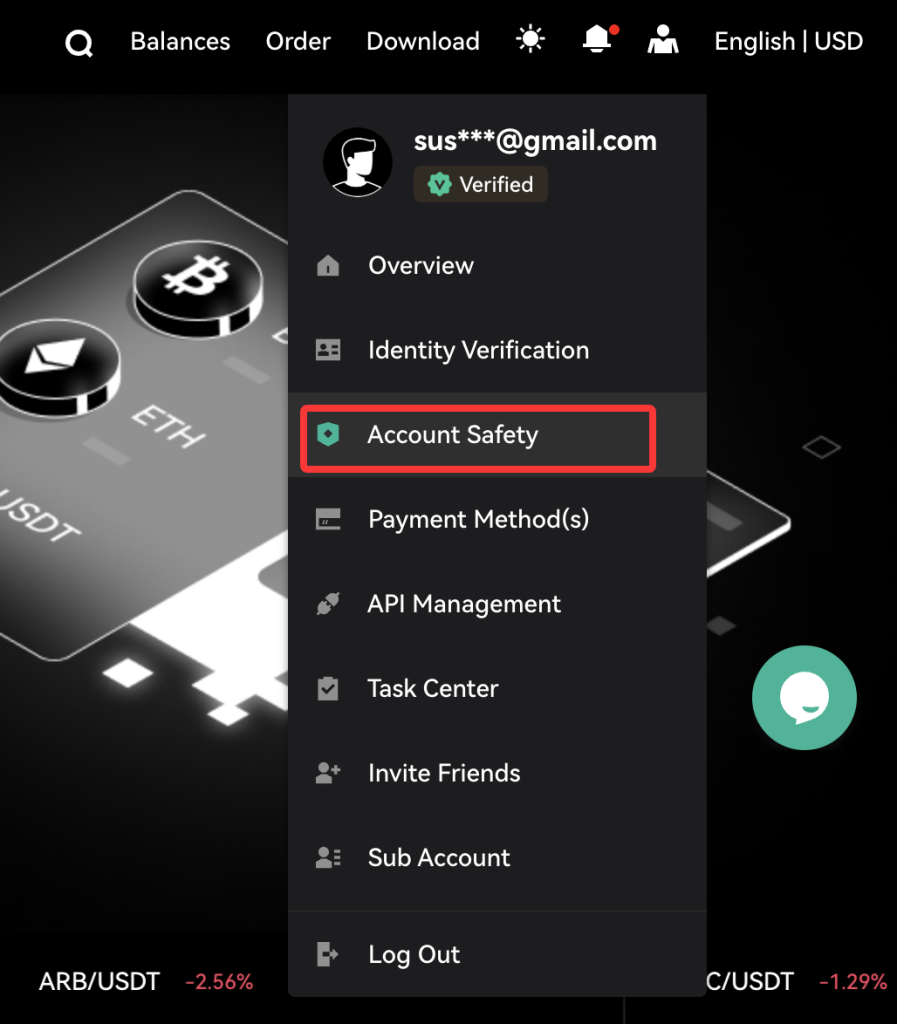
Web users can log in to your account, click the profile icon in the top-right corner, and select “Account Safety” from the dropdown menu.
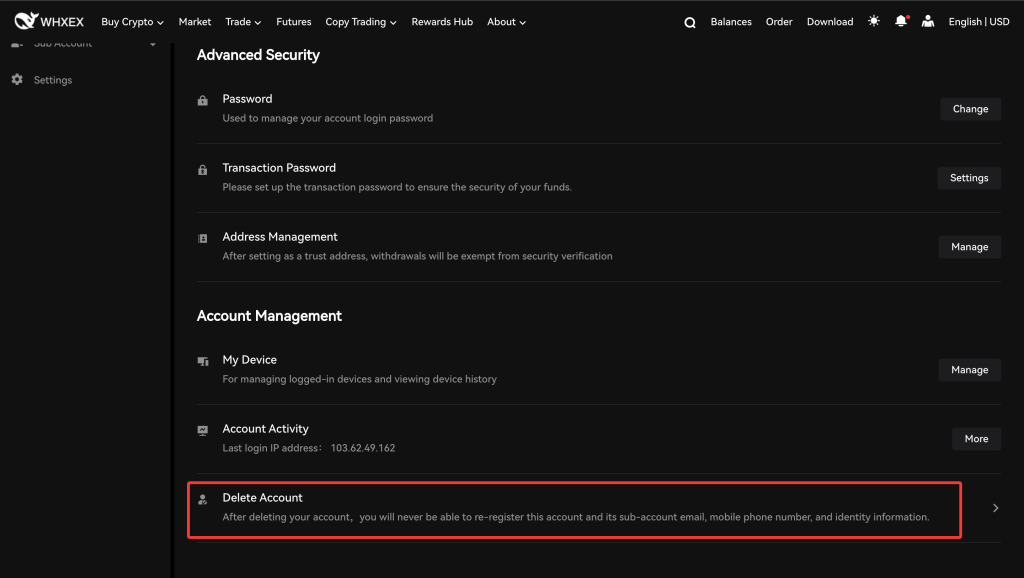
Step 2: Scroll down to find “Delete Account” at the bottom and click to proceed.
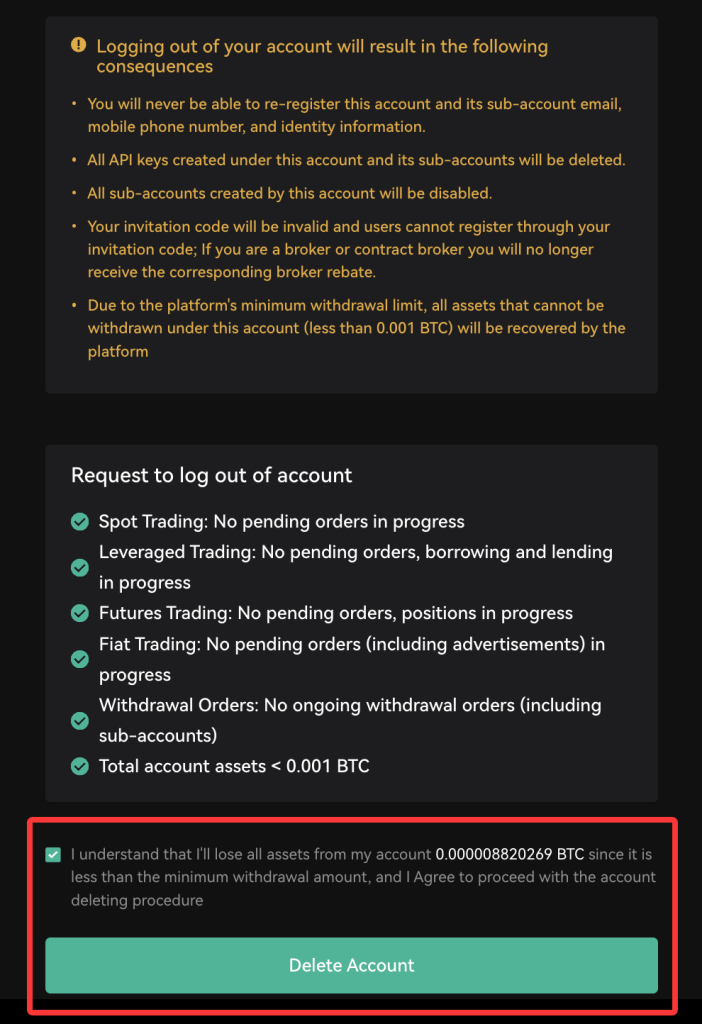
Carefully review the information that will be deleted upon account closure. If you agree, check the confirmation box and click “Delete Account” to complete the process.